I’ve come to realize that I often have it all wrong.
I like to think that I am pretty open-minded, but looking back on my life, there
are a ton of things that I turned my nose up at initially, only to come around
on them later. From cheese (the food) to Docker
containers, the list of things I wrote off at first but eventually ended up
loving is a mile long.
Last year, my daughter and I (and some other family and friends) did a lot of
camping. It was something that was difficult to do while my wife was sick, so it
felt like it was a long time coming.
During the beginning of my
burnout,
I started getting this itch to get out somewhere truly alone — somewhere nobody
could reach me and I could just sit with my own thoughts for a while.
I decided I was going to go on a solo backpacking trip.
The problem was, it was November, and most of our mountain areas were already
buried in snow. I also wanted somewhere that would be, in my mind, “solo
backpacking training wheels” — so I picked
Antelope Island, a little
island sitting on the East side of the Great Salt Lake.
It has some mountainous terrain, but it’s low enough that snow wasn’t an issue
yet.
It’s close to civilization, cell service is spotty but present, and the most
dangerous thing out there is supposed to be the bison.
I ended up being spectacularly wrong about the “training wheels” part.
It was an incredible trip and exactly what I needed, but there were a couple of
moments where I genuinely considered hitting the emergency button on my Garmin.
As you can see below, I had some unexpected visitors …
Rustaceans have been spoiled by Rust’s clap
(or, at least, I think they have).
The derive macros, the ergonomics, the fact that you can describe an entire CLI
with a struct and be done with it — it’s really nice.
I’ve never actually used (never tried Rust), but every time I see an example, I
think “I wish Go had this.”
Go’s standard flag package works, and
urfave/cli is the one I reach for when I need
more, but neither has that declarative feel.
So I wrote glap.
Define your CLI with a struct and some tags:
typeCLIstruct{Configstring`glap:"config,short=c,required,help=Path to config file"`Verbosebool`glap:"verbose,short=v,help=Enable verbose output"`Portint`glap:"port,short=p,default=8080,help=Port to listen on"`Outputstring`glap:"output,short=o,possible=json|text|yaml,default=text,help=Output format"`}
Parse it, use it. Subcommands, env var fallback, validators, groups,
conflicts/requires, colored help, shell completions — all there.
It’s still beta, but it’s working well for me.
I’m probably going to get a bit of flak for this, and it’s probably deserved,
but I’m going to type it up anyway, because I don’t know where I’d be today
without ChatGPT. Last year was a rough year for me (as described in the article:
My Year of Loss, Grief, Burnout, and Self Reflection). While I did go to a
regular/real therapist once a week for the entire year, there were still times
at night when no one else was awake and I needed help, so I turned to ChatGPT.
The results were surprising to me; maybe they’ll be surprising to you, too.
The blog has officially been given comment support.
While the articles themselves are markdown files in the repository and are
pre-rendered to json during the build process, the comments are stored in a
database. Authentication is provided by GitHub OAuth.
For the time being, I’m going to have it so that I need to approve comments when
they are posted. Hopefully with the GitHub OAuth requirement there won’t be too
much spam. Guess we shall find out - that was the reason I removed comment
support in the first place.
Unfortunately, I no longer have the comments from older vimtips.org articles.
Not sure what happened to them.
I guess when I turned them off I forgot to back them up.
Oh well 😉
When I was making the current version of this blog, there was a lot of
discussion on Twitter around improving load times and responsiveness on dynamic
websites, complete with lots of demonstrations of instant load times even for
things that access the database, like searches.
I decided to see what I could pull off with this little site, served from a
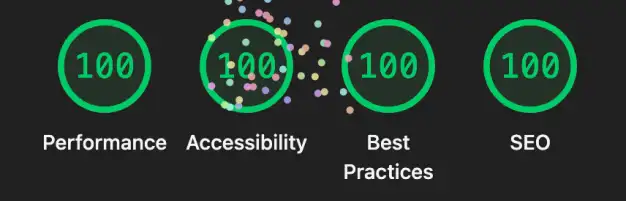
cheap VPS. I was able to get it to a perfect score on Lighthouse, and indeed, if
you click around on the links or use the search box, you will see that things
load pretty much instantly.
One year ago today at 10:30am, I opened our closet door to find that my spouse
and soulmate had ended their own life in there.
I didn’t know it yet, but this was the day that my life, as I knew it, was over.
I’ve been off work, turned off notifications, and haven’t really talked to
friends or family in months.
This is my story of why.
When copying code blocks to share on GitHub or other platforms, preserving
proper indentation can be tricky.
I created a NeoVim function that automatically normalizes indentation when
copying, making your shared code snippets clean and consistent.
Here’s how to set it up!
I’ve enhanced Neovim’s character navigation motions (f, F, t, T) by
integrating them with hop.nvim.
The default behavior remains unchanged when there’s only one occurrence of the
target character, or when using a count prefix (like 3f). However, when
multiple matches exist, hop.nvim automatically labels each occurrence, making it
much easier to jump directly to your desired location.
I’m pretty excited about this one.
I’ve been using EasyMotion for a
long time - before NeoVim existed, and
after, even though it seemed to go out of style (see
https://github.com/neovim/neovim for more information about why).
There are lots of alternatives, like
leap.nvim,
flash.nvim,
sneak.nvim and etc, but they all
required typing more characters, or didn’t work across windows, or were just
generally buggy. I stuck with EasyMotion; it just worked for me, even despite
it’s drawbacks. Until it didn’t. Recently, it has started crashing NeoVim.
I reported the issue,
but no response. EasyMotion is quite old and it doesn’t appear as though anyone
is working on it anymore.
I found a solution, though, and that is to write a custom
hop.nvim command that works like
EasyMotion used to.
Read the rest of the article if you want to see how to do it!
Doot is a simple, zero dependency (except Python 3, which comes installed on
most *nix operating systems) task runner.
Similar to make, but meant to be used for non-C style projects.
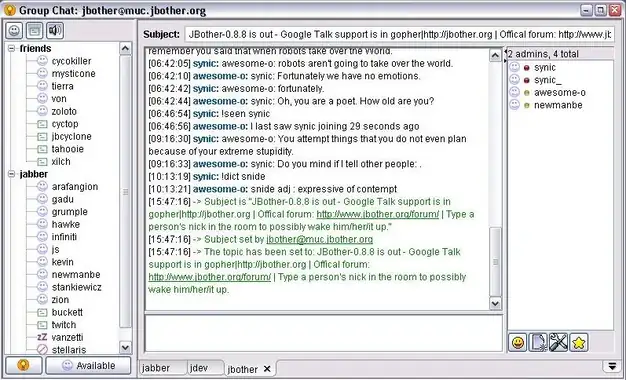
15 years or so ago, I abandoned my first opensource project,
JBother and eventually let the domain
expire. However, someone, I have no idea who, has rehosted the site, with my
design, etc, with very little modifications.
Whoever did it has not contacted me at all.
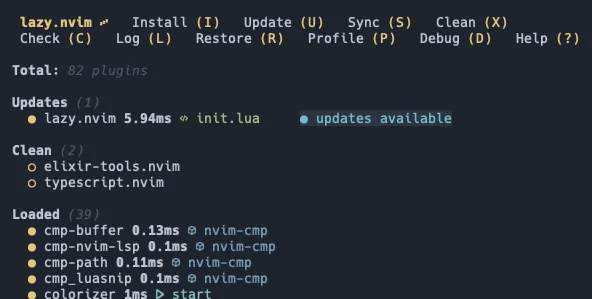
There have been many plugin managers in the Vim ecosystem over the years.
I’ve used quite a number of them, but
lazy.nvim is the one I’ve enjoyed the
most, by far. It’s easy, it’s concise, there’s a ton of “hidden” little tricks,
and it allows me to easily separate my plugin configuration into separate files
(which was sort of a pain in previous plugin managers).
Most of these this information can be found in the lazy.nvim README, but without
just getting your hands dirty, it can be difficult to understand how it all
comes together. That’s where this article comes in.
Do you use distroless?
Have you tried to build a distroless docker image for your Go project, only to
see an error like /bin/foo: no such file or directory? Maybe you spent a bunch
of time trying to figure out why that file isn’t there, only to find out that it
IS there, but you’re still getting the error?
At the beginning of 2022, I decided I was going to learn photography.
I always enjoyed taking photos with my phone, and before that, with various
point and shoot cameras.
I had also been avoiding something like a DSLR because they are so large and
bulky. These days, though, mirrorless cameras are pretty compact, so I went for
it.
I’ve been wanting to revive my blog for a while now, I’ve had a desire to write
some things about NeoVim in particular.
Of course, I decided to write it myself instead of using something like Medium.
For me, it’s an opportunity to learn something new, in this case, several new
things.
At Ender Labs, pretty much everyone but me uses a Mac.
In the last year or so, I’ve started to realize that there must be some new Mac
app or function that, via a hotkey, allows you to select an arbitrary region of
your screen, create a screenshot, and then automatically uploads it to a hosting
service.
I know this, without doing any research, because in irc/slack/gtalk I’ve
started receiving screenshots as responses to questions I ask.
These screenshots arrive fairly quickly after said question is asked.